Ride it. Share it.

Your GoPro already records GPS, gyro and accelerometer data. Adventure Video Share turns it into speed, route, elevation and lean-angle widgets on your footage, then helps you cut it and post it. On your Mac.
Free beta for macOS 27 on Apple Silicon Macs, and for iPhone and iPad in TestFlight.

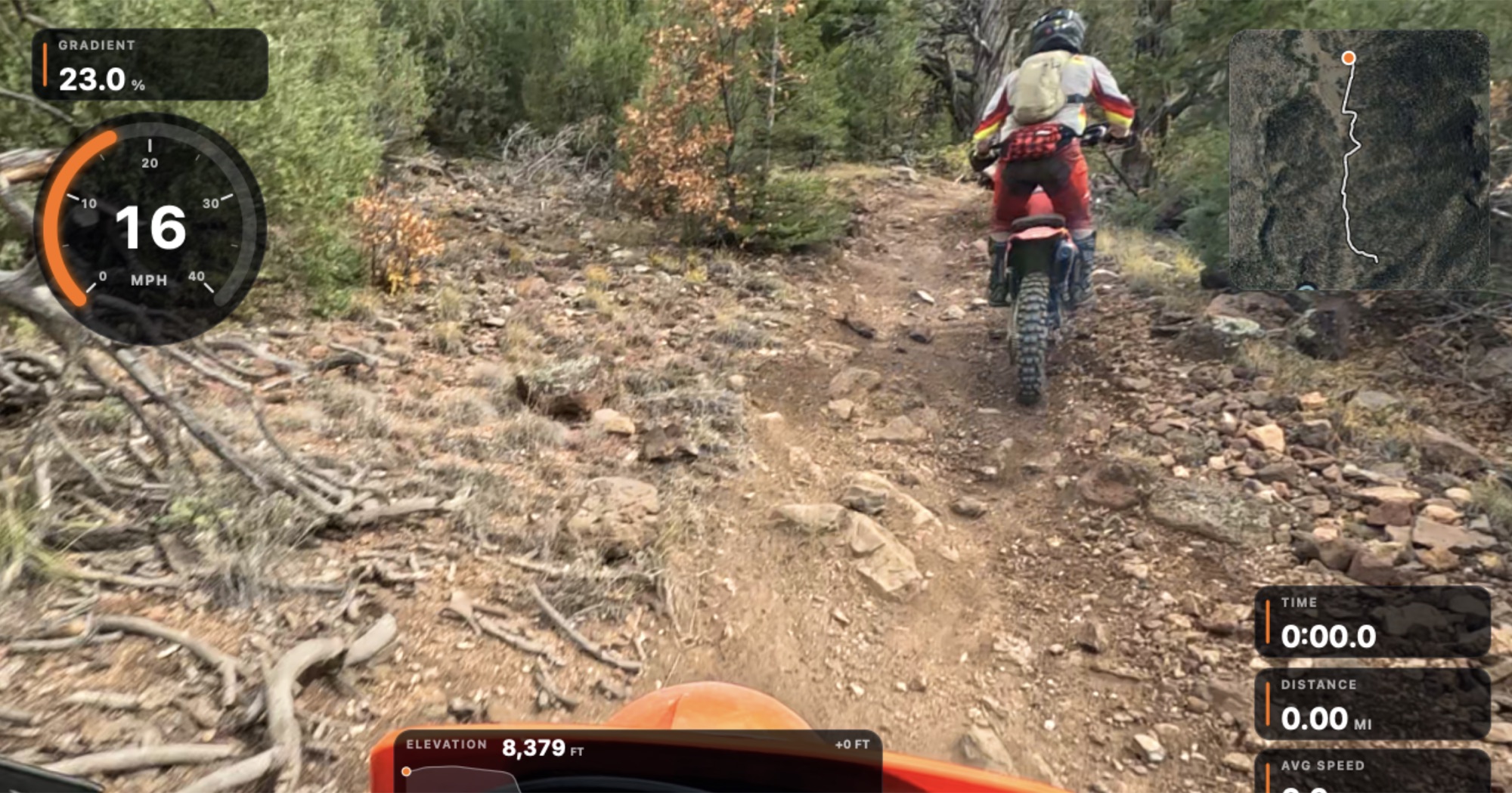
Helmet-camera view of a rider ahead on a rocky dirt-bike trail, with gradient, speedometer, route map, elevation and distance widgets on the video.
Gradient, speed, route, elevation and distance, all from the camera's own sensors.

That line is the rest of this ride, drawn from the GoPro's GPS altitude. The orange dot is where the frame above was taken.

Your speed, route and climb, from the camera itself

Pick the widgets you want, drag them where they look right and they snap into place. Each one fills in from the data in the clip, frame by frame.

  • Speedometer, timer, distance and average speed
  • Route map, elevation profile and gradient
  • Lean angle and G-force from the motion sensors
  • Power, heart rate and cadence from a FIT, GPX or TCX file
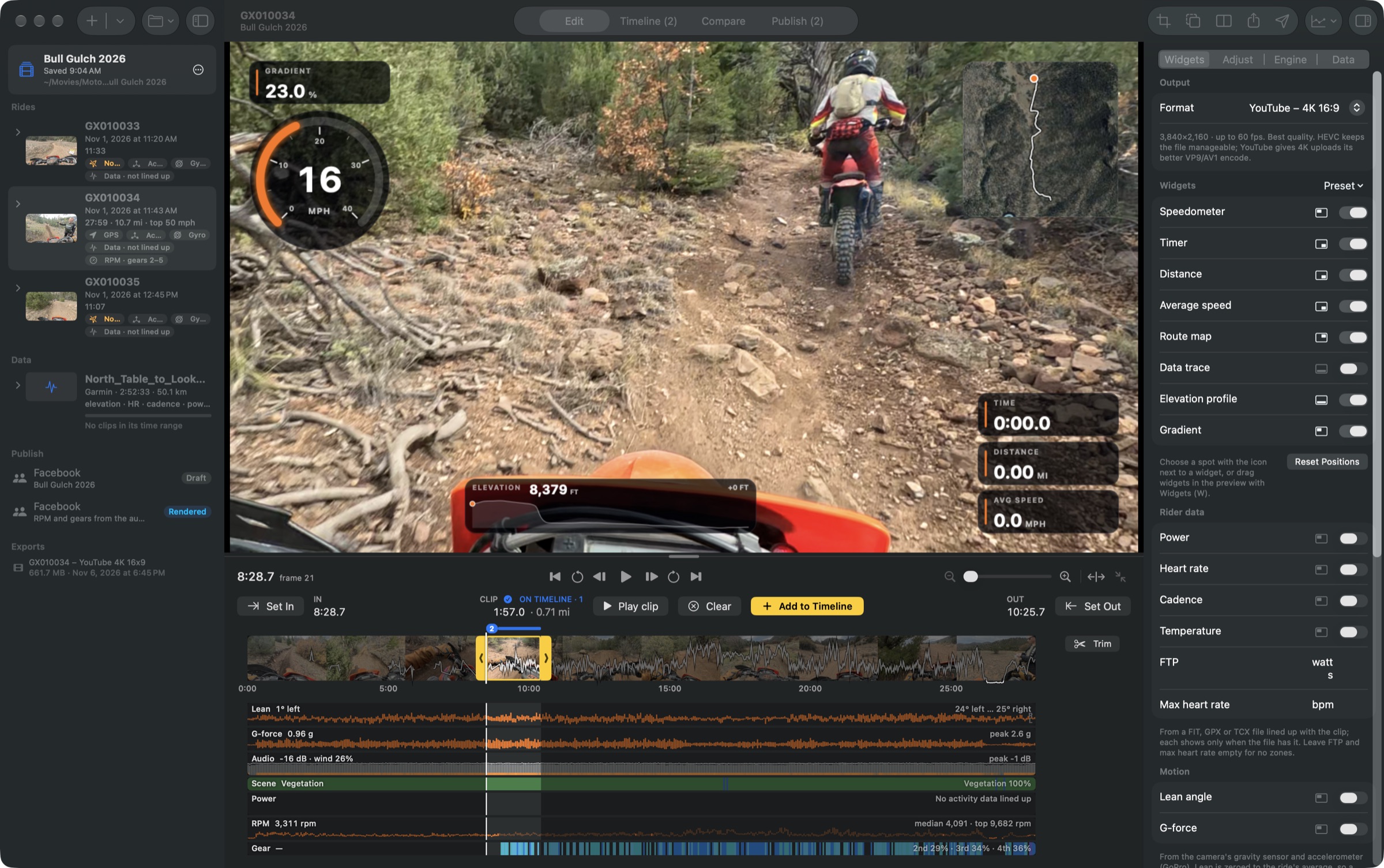
The Edit view: a trail clip with speed and map widgets, the widget list on the right, and the ride's clips on the left.

See the whole ride before you cut it

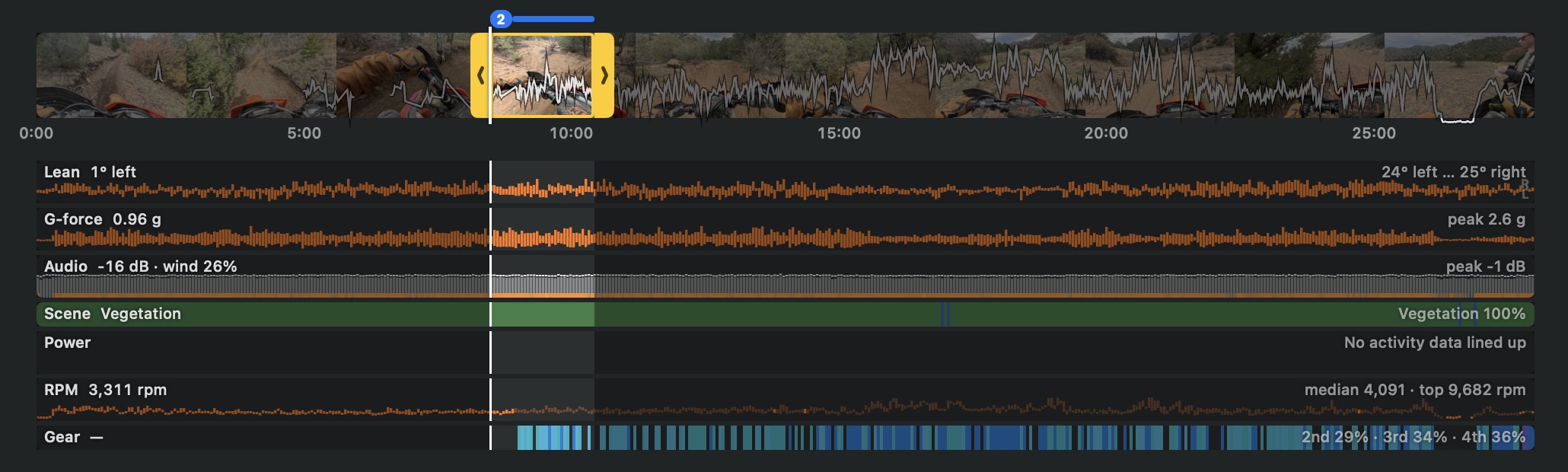
Lanes under the filmstrip show what happened across the whole clip, so the hard corners, the big hits and the fast straights are easy to find.

  • Lean, G-force, audio and scene
  • Engine RPM and gear, read from the engine's sound
  • Every sensor stream can be exported as CSV
A filmstrip of the ride with lanes underneath for lean angle, G-force, audio, scene, power, RPM and gear.

RPM and gear, heard from the engine

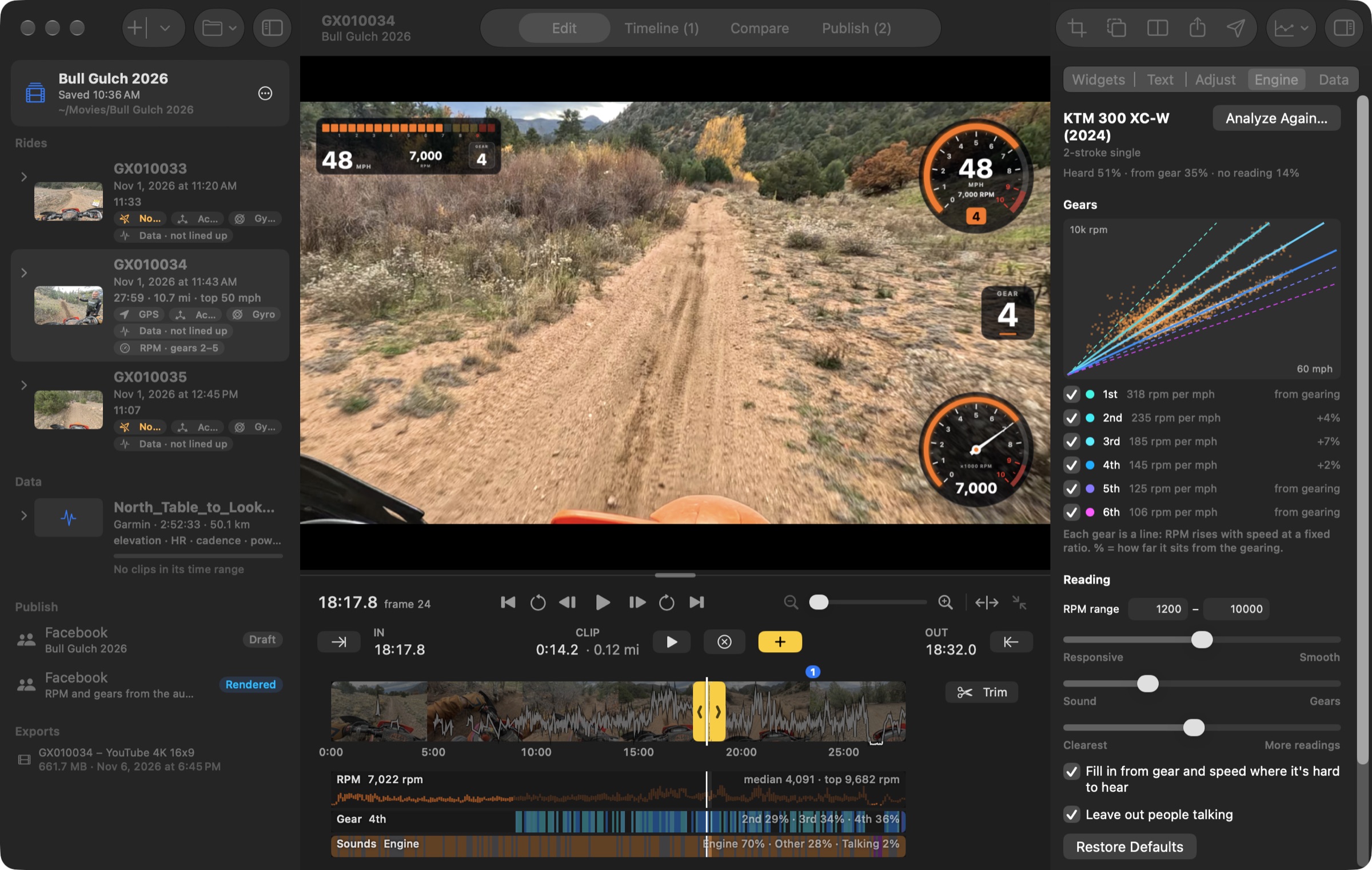
Analyze Engine Sound listens to the clip and works out the engine's RPM. Then it checks the RPM against your bike's gearing and the GPS speed to tell which gear you're in. Put it on the video like a dash.

  • Rev dial, tachometer, bar dash and gear widgets
  • A redline you set, with a rev bar that flashes like a shift light
  • Each gear drawn as a line, checked against your bike's gearing
  • Fills in from gear and speed where the engine is hard to hear
The Edit view at 48 mph in fourth gear: a bar dash, rev dial, gear tile and tachometer on the video read 7,000 rpm, the Engine panel shows the bike's gears as lines on an RPM and speed chart, and RPM, gear and sound lanes run under the filmstrip.

Fix dull, dusty footage

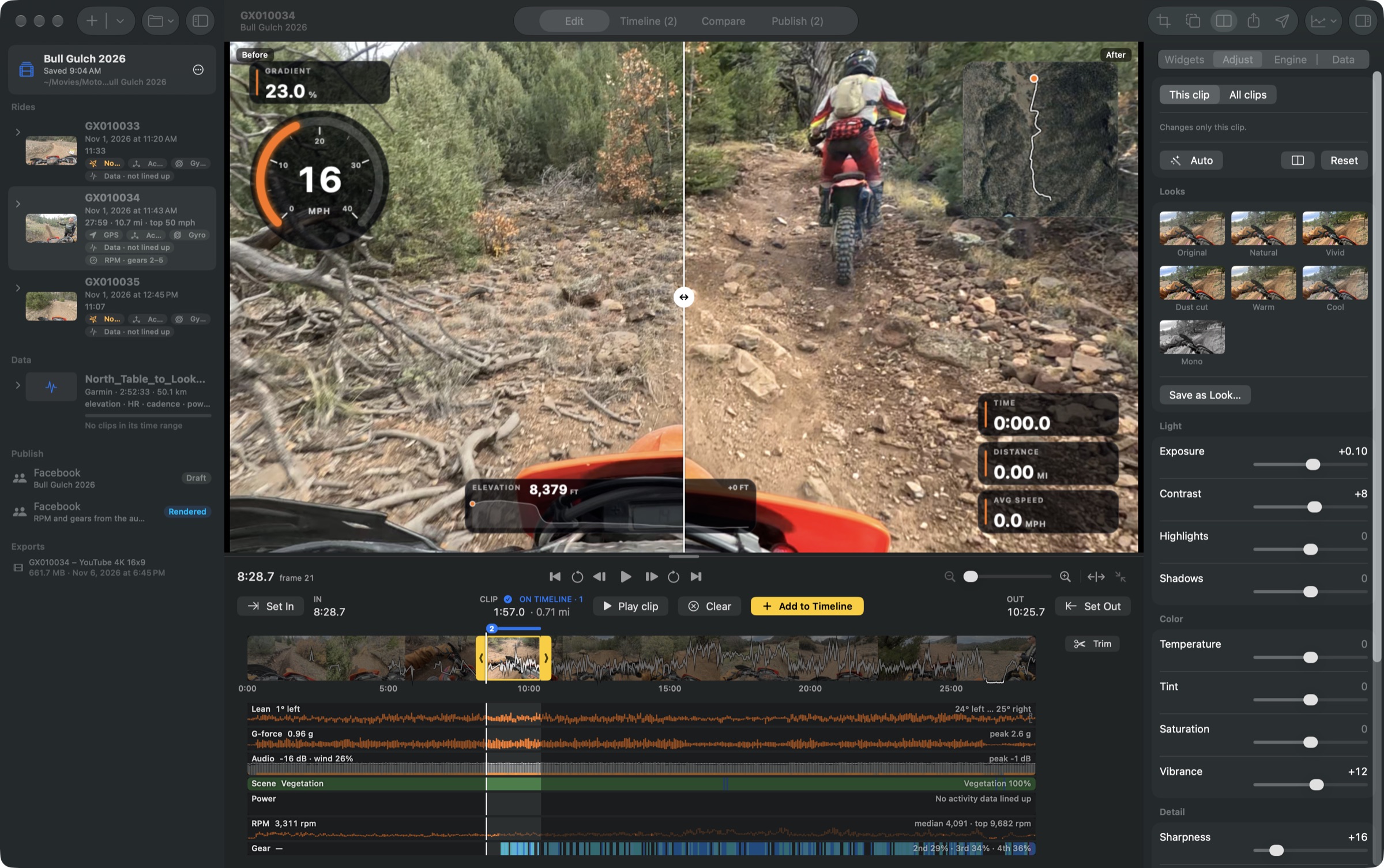
Start from a look, or set exposure, highlights, shadows, colour and sharpness yourself. Auto sets exposure, colour and level from the clip. Drag the divider to compare.

  • Natural, Vivid, Dust cut, Warm, Cool and Mono looks
  • Save your own looks for every project
  • Straighten a tilted horizon
The Adjust panel with looks and sliders, and a before and after divider across the video.

Cut a story from the whole day

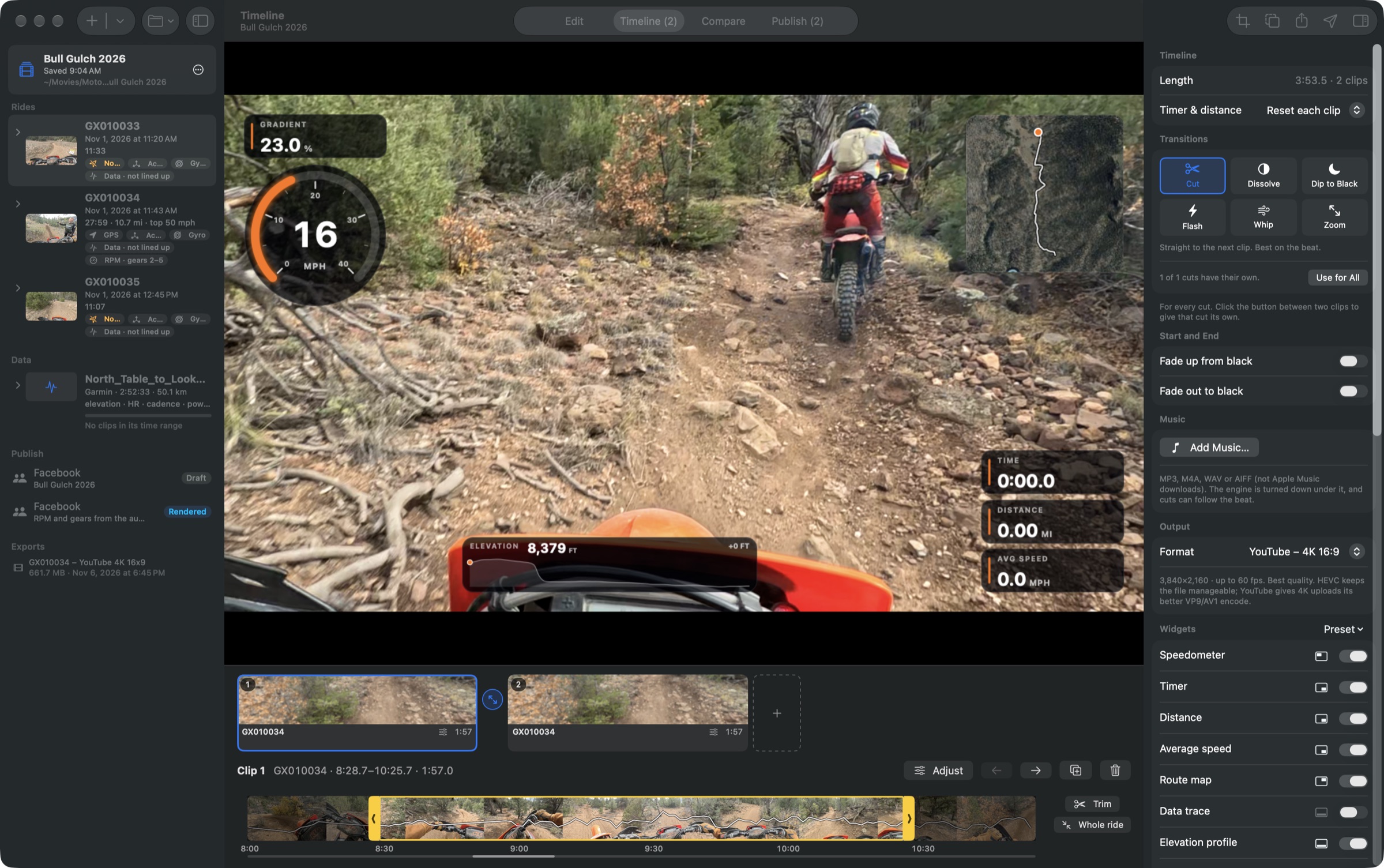
Add clips and photos to the timeline, choose how each cut looks, and lay music underneath. The engine drops under the song, and cuts can land on the beat.

  • Cut, dissolve, dip to black, flash, whip and zoom
  • Fade up at the start and out at the end
  • Your logo in any corner
The Timeline view with two clips, transition choices and music settings.

Ready for wherever you post

Export for YouTube in 4K or 1080p, as a Reel, or as a square post. Each shape keeps its own framing. Publish writes the post text, hashtags and YouTube chapters from the ride's facts.

  • YouTube, Instagram, Facebook and Strava
  • Distance, top speed and climb filled into your text
  • Copy everything in one go, then post
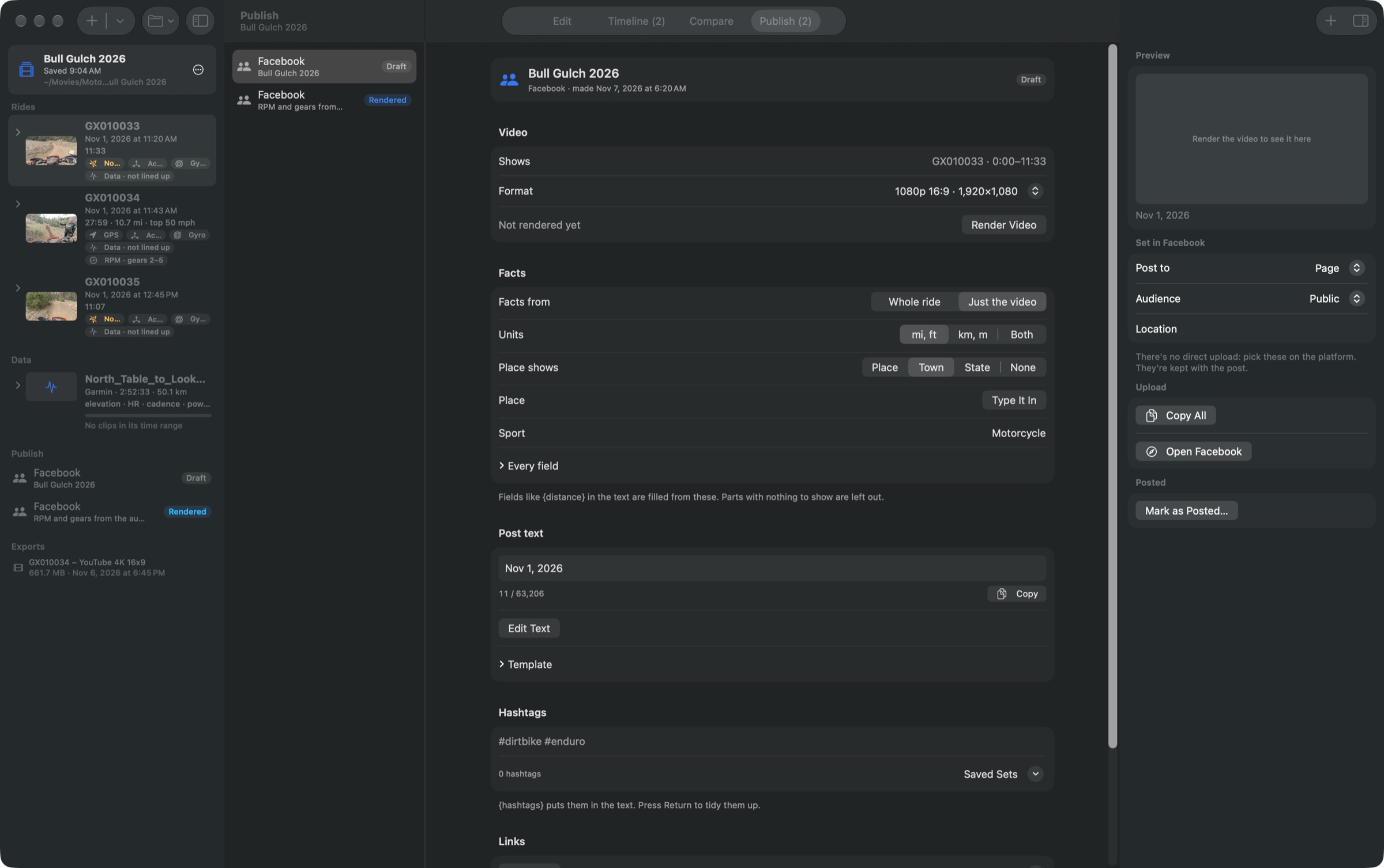
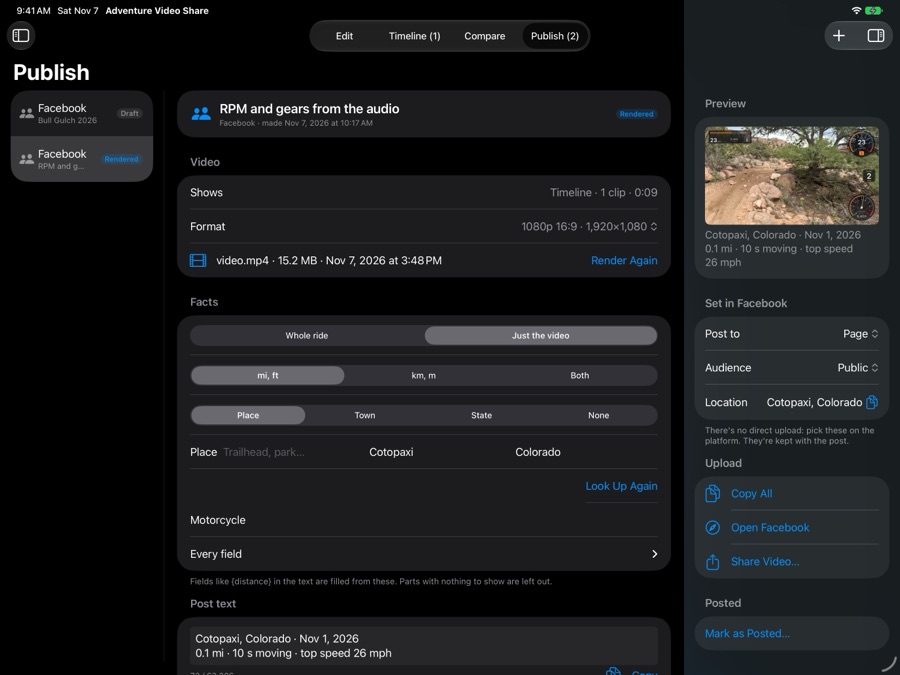
The Publish view with a Facebook post's video, facts, post text and hashtags.

Edit on the iPhone or iPad you take on the trip

The same editor runs on iPhone and iPad, with the gauges, the Engine tab, export and Publish. Bring the day's rides in from Photos or Files, and have the video ready to post before you're home.

Free beta in TestFlight, for iOS 27 and iPadOS 27.

Join the beta in TestFlight

Open the link on your iPhone or iPad. If you don't have Apple's TestFlight app yet, the page links to it.

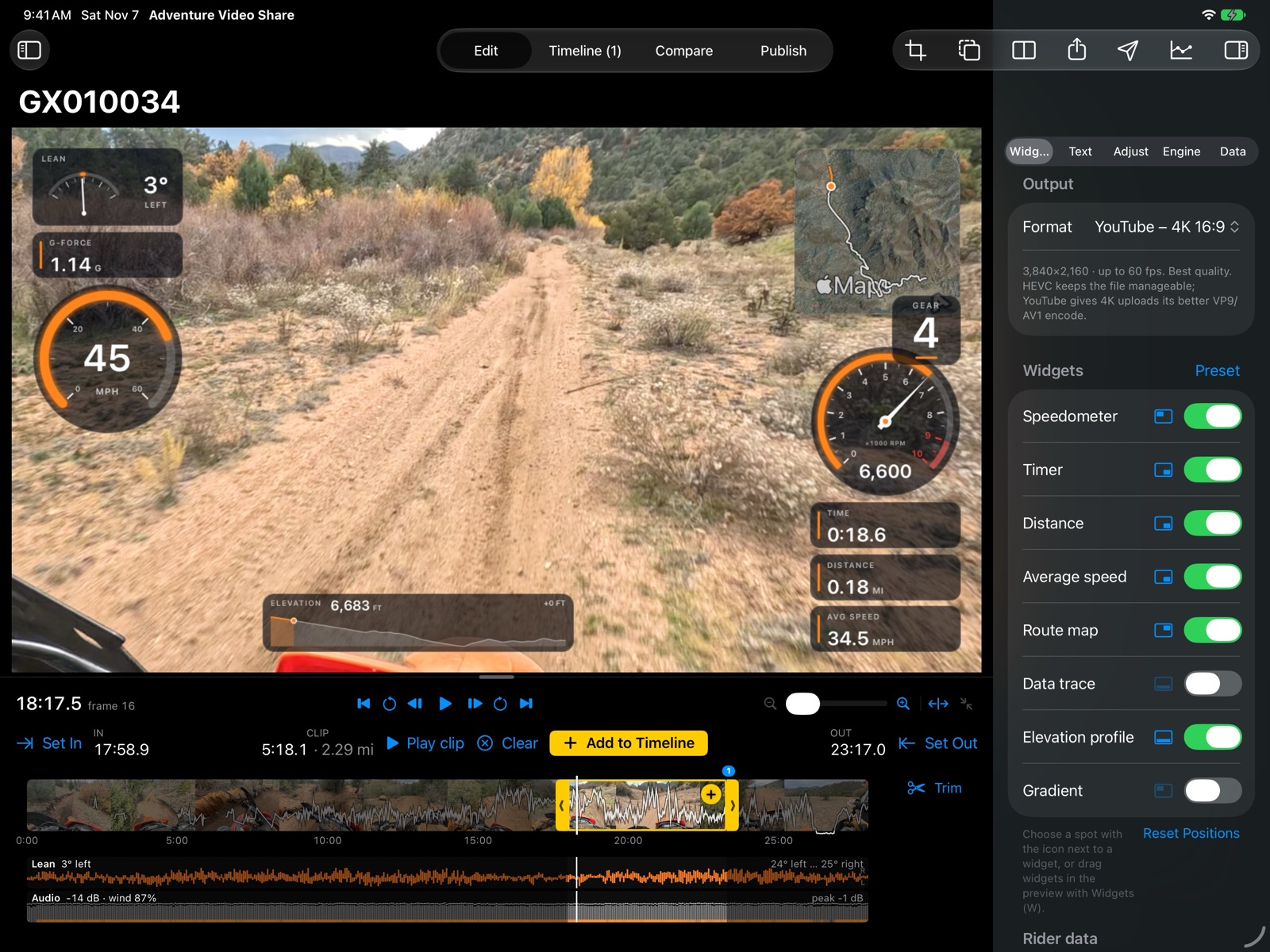
The editor on an iPad: a dirt road at 45 mph in fourth gear, with lean, G-force, route map, rev dial, timer, distance and elevation on the video, and the widget list on the right.
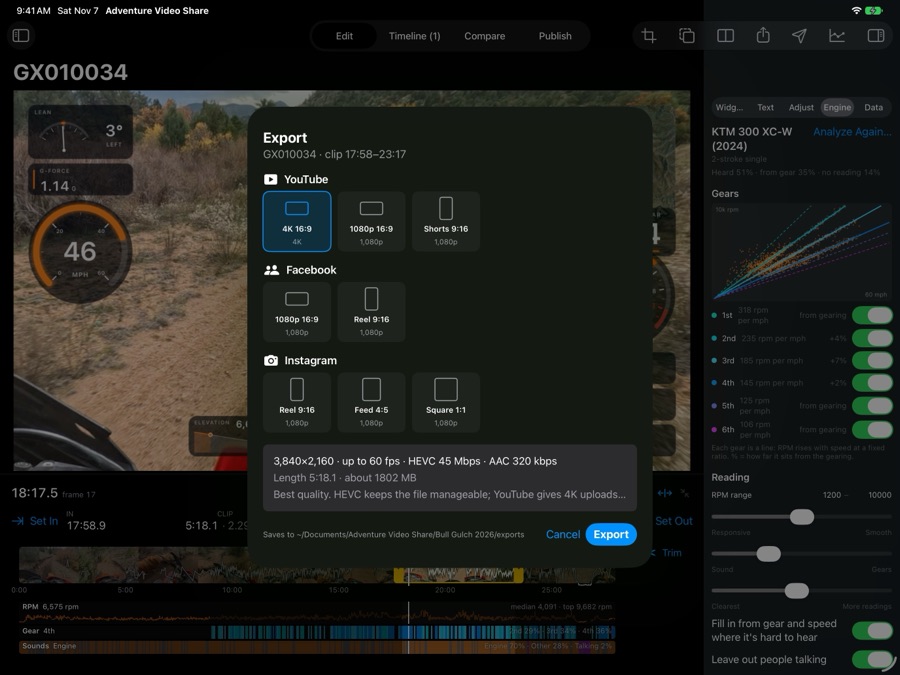
The Export sheet on an iPad, with YouTube, Facebook and Instagram shapes.
Export for YouTube, Facebook and Instagram, in every shape
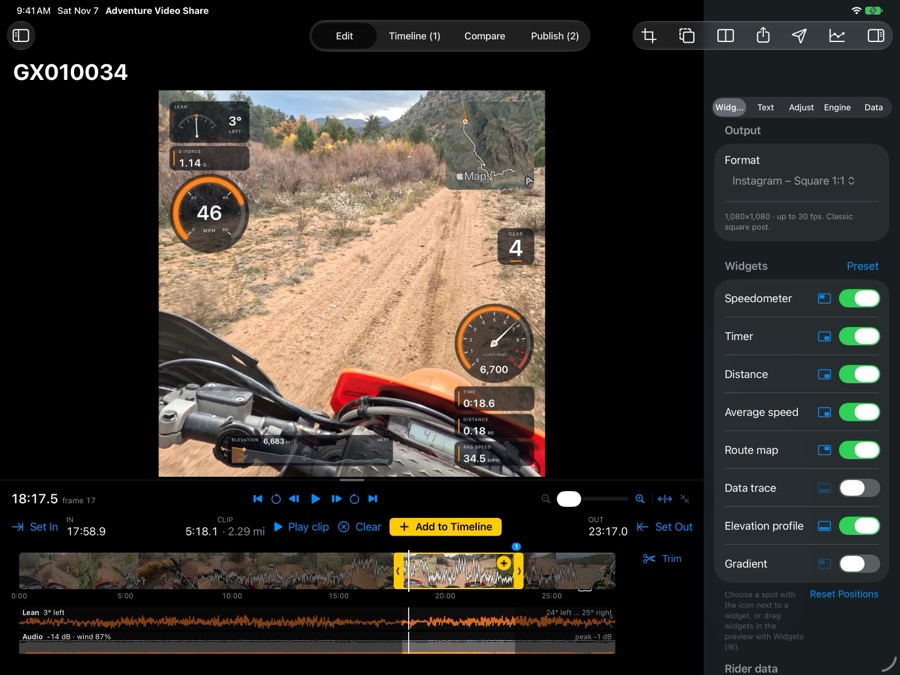
The same ride laid out as a square Instagram video on an iPad.
A square for Instagram, with the gauges laid out to fit
Publish on an iPad: a Facebook post with the rendered video, the place, and post text filled in from the ride.
Publish fills in the post text and place from the ride

Also in the beta

Compare two runs
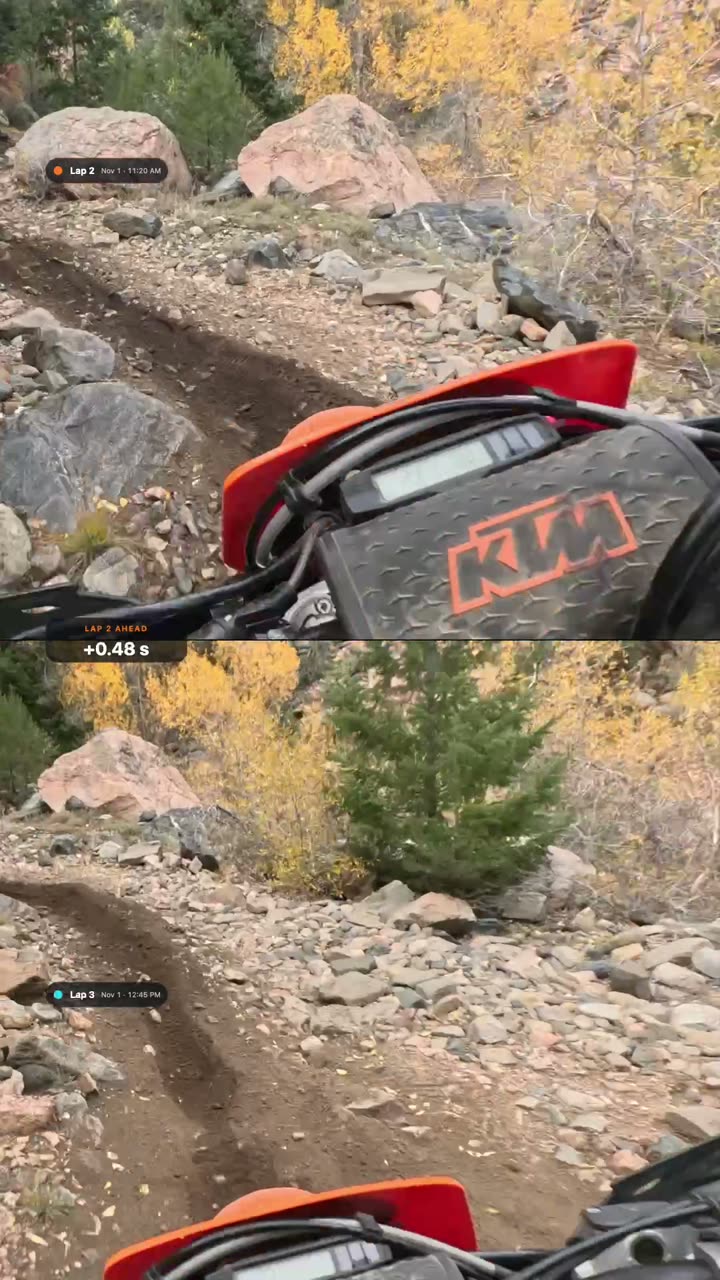
Play two rides of the same trail side by side, lined up by GPS or by marks you set, with the gap between them on screen.
Projects that stay together
Each project is a folder with its media and exports. File, Open Recent brings back the last ten.
Photos between clips
Drop in photos from Finder or Photos. They hold for a few seconds with a slow zoom.
Not just GoPro
Phone or other camera footage works too: add a GPX file from your phone or bike computer for the data.

Example videos

Rides edited with Adventure Video Share, in each shape it exports. More are on the way.

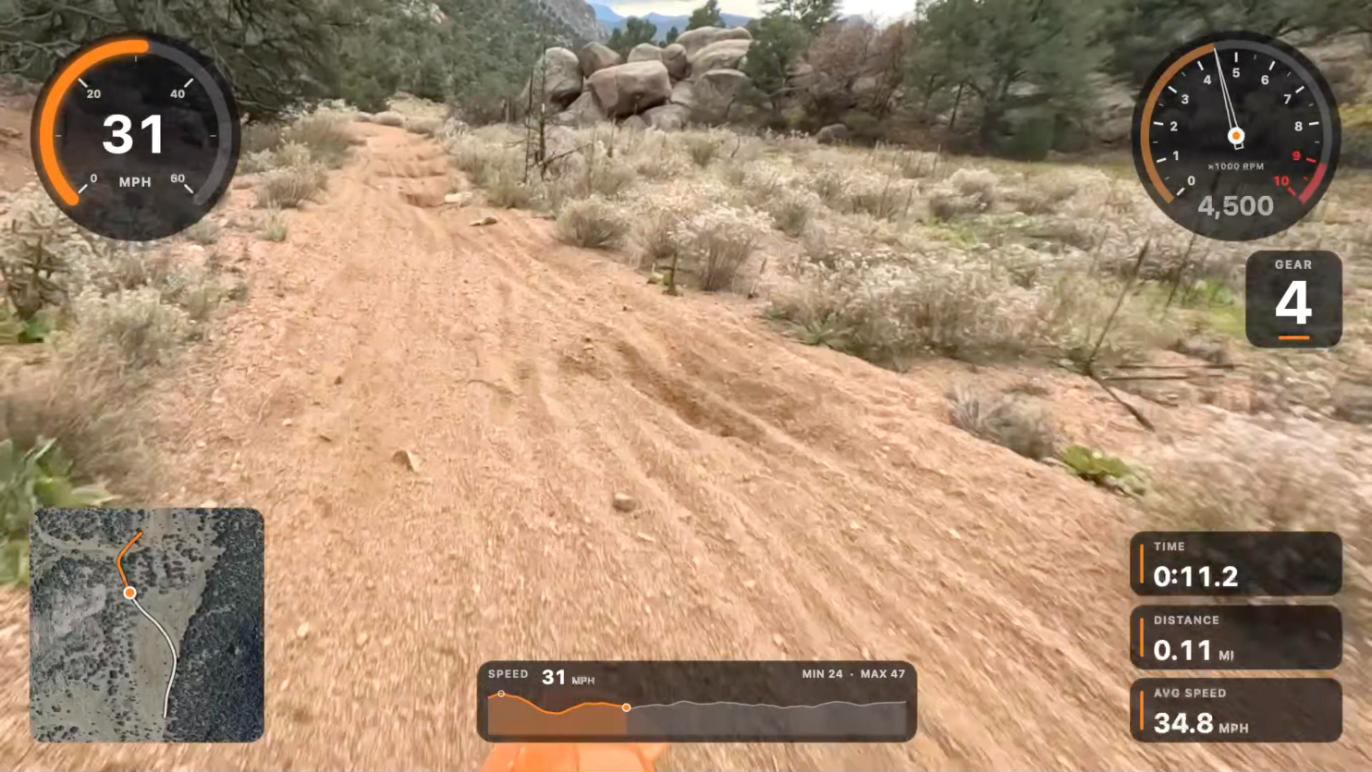
A frame from the video: a dirt road, with the speedometer at 31 mph, the rev dial at 4,500 rpm, gear 4, a route map and a speed trace.
Engine RPM and gear, from the engine's sound and GPS speed 16:9, 34 seconds, on Facebook. Watch it on Facebook
The rev dial and gear, in a square for Instagram 1:1, 10 seconds, with the engine's sound.
Two runs of the same section, side by side 16:9, 81 seconds. The badge at the top shows how far behind the second run is.
A frame from the Reel: the two runs stacked, one above the other, with the gap between them, +0.48 seconds, in the middle.
The same runs, stacked for a Reel 9:16, 85 seconds. Watch it on Facebook

Try the beta

The beta is free while it's being tested.

Version 0.1.0 Beta 5, for macOS 27 on Apple Silicon.

Download for Mac

All versions and what changed